Task Matching Changes When a Platform Routes You to the Right Model
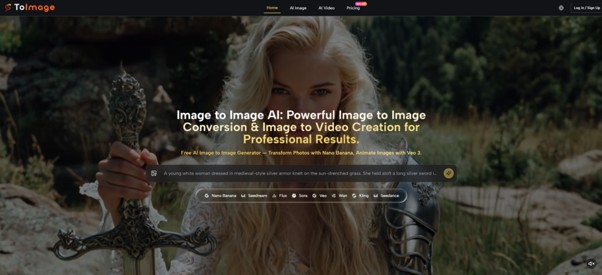
The hardest part of using AI image tools is rarely the prompt. It is knowing whether you picked the right engine for the job. Most platforms offer one model and ask you to adapt. A few offer many but leave you guessing which one actually fits your task. In recent months, a different approach has started to stand out: treat the platform as a router, not a generator. Send the task to the model that matches it, keep the interface clean, and let the user focus on direction instead of technical guesswork.
That is exactly what one platform has quietly been doing, and it changes how image‑to‑image work feels in daily use. After spending time with Image to Image across product visuals, character explorations, and short motion tests, the most useful way to describe it is not as a single AI tool but as a thoughtfully structured creative workspace where task matching comes first.
Why One Model Cannot Cover Every Image Transformation Job
Most image generation platforms treat every request the same way. You type a prompt, you click generate, and the same engine handles everything from photorealistic product shots to abstract style transfers.
That design choice is simple, but it also hides a real problem. Different visual tasks have different priorities, and a model that excels at one usually compromises on another.
The Unspoken Trade‑Off in Single‑Model Platforms
A model that produces stunning cinematic portraits may struggle to preserve the precise identity of a character across multiple reinterpretations. A model that follows complex layout instructions accurately may lack the emotional range needed for atmospheric experimentation.
When a platform forces every job through the same path, the user has to work around the model’s blind spots instead of letting the tool handle the hard part. Over time, that friction accumulates, and what started as a convenient generator becomes a source of repeated small frustrations.
Model Visibility as a Creative Tool
When a platform surfaces different models for different goals, it does something more valuable than just offering choice. It teaches the user to think in a more structured way. Instead of asking, “Will this AI be good?” the user starts asking, “Which model is better for this kind of change?”
That shift from passive prompting into active selection is what separates a workflow from a gimmick. The best tools do not just generate. They help you decide how to generate.
How the Platform Routes Tasks to the Right Engine
The platform organizes its capabilities around several distinct model paths rather than pretending there is one universal answer. In my observation, that structure makes the product feel more like a transformation workspace than a single‑model toy.
Nano Banana for Realism and Reference‑Led Change
When the task demands hyper‑realistic image transformation, material clarity, and clean scene conversion while preserving the core structure of the source image, the Nano Banana path appears to be the natural choice.
It handles the central promise of image‑to‑image work: take an existing image, preserve what matters, and push it toward a different visual result. For product shots, portraits, and stylized reinterpretations where consistency matters more than novelty, this engine provides a reliable foundation.
Nano Banana 2 for Production Iteration
Nano Banana 2 feels less like an upgrade and more like a companion tuned for different priorities. From what I have observed, it leans toward faster generation and more flexible editing, making it better suited to iteration cycles where the goal is to test multiple directions quickly rather than polish a single output to perfection. If Nano Banana is the craftsman, Nano Banana 2 is the sketchpad.
Flux for Structured Editing
Some transformations require more than a style shift. They require the model to understand spatial relationships, follow explicit instructions about object placement, and maintain compositional logic even when the visual language changes dramatically.
Flux appears positioned for that kind of context‑aware editing. In my testing, it handled prompts that specified precise layouts—laptop on desk, coffee cup in upper right, soft morning light from the left—with noticeably better compliance than the average model.
Veo 3 for Extending Still Images into Motion
The ability to animate a still image without leaving the same interface adds a new dimension to creative range. The Veo path supports image‑to‑video extension, turning static visuals into short motion sequences.
From a practical user perspective, the results work best when the source image contains clear directional cues—a figure in motion, a landscape with depth, or a scene with natural lighting that suggests camera movement. Static product shots with minimal visual cues may yield more subtle motion results, but for storytelling enhancement, the feature provides a useful bridge between still and moving imagery.
A Three‑Step Workflow That Respects Task Differences
The platform keeps the operational flow simple, but the real structure is in the decision layer above it. Three steps move the user from source to output, while model selection happens as a conscious choice rather than a hidden default.
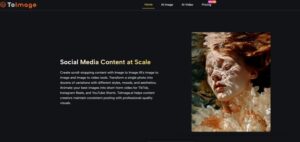
Step One: Upload the Source Image
The Visual Foundation Defines the Constraints
The process starts with the image you already have. That source contains the composition, subject placement, lighting mood, and many of the visual decisions that would otherwise need to be invented from scratch. This is what makes image‑to‑image fundamentally different from text‑to‑image. Instead of hoping the model invents the whole idea correctly, you are redirecting an existing asset into a new form.
Step Two: Describe the Direction
The Prompt Tells the Model What to Preserve and What to Change
The prompt is still important, but in a transformation workflow, the best prompts are usually directional rather than overloaded. They tell the model what to keep, what to shift, and what feeling or visual language to pursue. For example: preserve the face and pose but change the environment to a cinematic street scene; keep the product shape intact but upgrade the lighting and packaging mood; retain the composition while softening the background to create a fashion editorial tone. The interface keeps your previous prompt visible and editable without forcing you into a separate history view. When you switch between models, the prompt stays intact.
Step Three: Select the Model and Generate
Task Matching Becomes the Creative Decision
With the source and the direction defined, the next choice is which engine fits the task best. Need hyper‑realistic transformation with strong reference preservation? Nano Banana. Running multiple quick iterations to test directions? Nano Banana 2. Requiring precise layout following and structured editing? Flux. Want to extend the result into short motion? Veo. That selection step is not an extra burden. It is the most important creative decision in the whole process, and the platform makes it visible rather than hidden.
When the Platform Excels and Where Results May Vary
Based on comparative testing across several image‑to‑image platforms, the task‑routing approach shows clear strengths in certain scenarios while leaving room for user judgment in others.
| Work Scenario | Performance Observation | What to Keep in Mind |
| Product image enhancement with realism priority | Handles material details and scene conversion cleanly | Complex shadows or fine text may need a second generation |
| Character reinterpretation across multiple scenes | Reference‑led models preserve identity well | Consistency improves with clear directional prompts |
| Rapid variation testing for ad or social content | Fast iteration paths support quick comparisons | Output diversity may require prompt refinement |
| Structured composition with specific layout instructions | Instruction‑following model shows reliable compliance | Not always the most emotionally arresting result |
| Extending still images into short motion | Works best with source images rich in directional cues | Flat static compositions yield subtle movement |

Real Limitations That Deserve Honest Acknowledgment
No AI platform is perfect, and a fair assessment requires recognizing where the tool still depends on user skill or may produce inconsistent results.
Prompt quality still determines output range. Even with the right model selected, vague or ambiguous prompts may produce outputs that drift from the intended direction. Clear, specific language improves consistency across generations.
Complex scenes may need multiple attempts. Images with many overlapping elements, crowded backgrounds, or multiple distinct subjects may require several refinement passes to align with the user’s vision.
Model selection requires an initial learning period. The broader model range is a strength for experienced users, but beginners may need a few sessions to understand which engine suits which task. That investment pays off quickly, but it is real.
Image‑to‑video results vary by source material. Motion extension is not animation software. The output quality depends heavily on whether the source image contains natural movement cues or depth information.
No universal output guarantee. Like all generative AI systems, results are probabilistic. The same source image and prompt may produce different outputs across separate runs. For work requiring pixel‑perfect repetition, traditional compositing tools remain appropriate.
Who Benefits Most from a Task‑Routing Workflow
The platform is particularly well‑suited for creators who already have usable visual assets and want to push them in multiple directions without switching between separate tools or guessing which model to use. That includes designers refining layout visuals, product teams generating campaign variations, marketers testing different style treatments for social content, and illustrators exploring reinterpretations of existing characters.
For users who need only very simple edits or occasional novelty generation, the full model depth may be more than necessary. For anyone who works iteratively from real‑world assets and wants a tool that helps match the task to the right engine, the Image to Image AI workflow offers a practical balance of depth, clarity, and task‑appropriate structure. The model range and the interface continuity are not about winning a spec war. They are about making sure you spend your creative energy on direction, not on fighting the tool.