The Complete Guide to Telegram: Features, Benefits, and Web Access
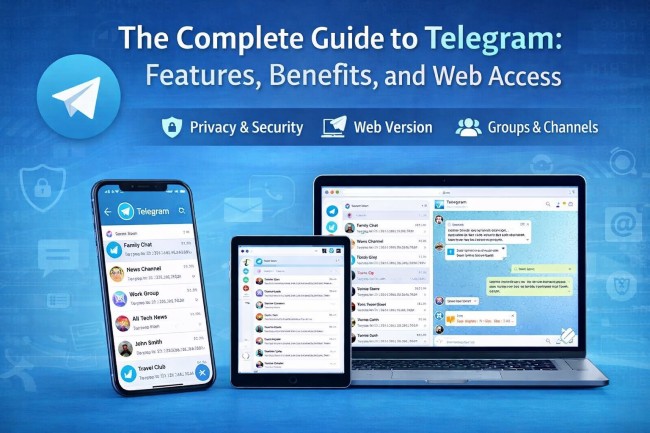
Telegram has emerged as one of the most popular messaging platforms in the world, known for its speed, security, and versatility. Unlike traditional messaging apps, Telegram offers a cloud-based infrastructure that allows users to access their chats from multiple devices seamlessly. Whether you’re using it for personal communication, professional collaboration, or community building, Telegram continues to expand its capabilities to meet modern digital needs. This article explores the key aspects of Telegram, including its features, benefits, and how to use it effectively across devices.
Getting Started with Telegram
Telegram is easy to set up and use, making it accessible for both beginners and experienced users. To begin, users need to install the app on their smartphone or desktop device. The process is straightforward and requires only a phone number for verification. Once registered, you can start messaging instantly, create groups, and explore channels.
To get started quickly, you can Download Telegram from the official platform and install it on your preferred device. After installation, Telegram automatically syncs your contacts and allows you to begin conversations without delay. The intuitive interface ensures that even first-time users can navigate the app effortlessly.
Key Features That Make Telegram Stand Out
Telegram is packed with features that set it apart from other messaging applications. One of its most notable characteristics is its cloud-based system, which allows users to store messages, media, and files without taking up device storage. This means you can access your data anytime, anywhere.
Another standout feature is Telegram’s support for large groups and channels. Users can create groups with thousands of members, making it ideal for communities, businesses, and educational purposes. Channels allow one-way broadcasting, enabling administrators to share updates with unlimited subscribers.
Additionally, Telegram offers advanced customization options, including themes, chat backgrounds, and notification settings. Bots and automation tools further enhance functionality, allowing users to perform tasks such as scheduling messages, managing groups, and even playing games.
Privacy and Security on Telegram
Security is one of Telegram’s strongest selling points. The platform uses end-to-end encryption for its Secret Chats feature, ensuring that only the sender and recipient can read the messages. These chats also come with self-destruct timers, adding an extra layer of privacy.
Telegram does not store sensitive data on a single server, reducing the risk of large-scale data breaches. Users can also enable two-step verification to protect their accounts from unauthorized access. Privacy settings allow you to control who can see your phone number, profile picture, and last seen status.
Furthermore, Telegram’s open API encourages transparency and innovation, allowing developers to build secure and efficient tools within the platform.
Accessing Telegram on the Web
One of Telegram’s most convenient features is its web-based access. Users can log in to their accounts from any browser without needing to install additional software. This is especially useful for those who frequently switch between devices or work on shared computers.
You can easily access your account through the Telegram Web Version, which mirrors your mobile app experience. It allows you to send messages, share files, and manage chats in real time. The web version is fast, responsive, and does not compromise on functionality, making it an excellent alternative to the desktop or mobile apps.
This flexibility ensures that users remain connected regardless of their location or device, enhancing productivity and communication efficiency.
Telegram for Business and Communities
Telegram is not just a messaging app—it is also a powerful tool for businesses and communities. Companies use Telegram to communicate with customers, share updates, and provide support. Channels and groups enable brands to build strong relationships with their audience.
For communities, Telegram offers a platform to bring people together based on shared interests. Whether it’s technology, education, entertainment, or hobbies, users can join groups and participate in meaningful discussions. Admin tools allow moderators to manage content, enforce rules, and maintain a positive environment.
Telegram bots also play a significant role in business operations. They can automate tasks such as customer service, order tracking, and data collection, making processes more efficient and scalable.
Tips for Using Telegram Effectively
To make the most of Telegram, users should explore its various features and settings. Organizing chats with folders can help keep conversations structured, especially if you are part of multiple groups and channels. Pinning important chats ensures quick access to priority conversations.
Using bots can significantly enhance productivity. From reminders to file conversions, bots can handle a wide range of tasks. Additionally, customizing notifications helps reduce distractions and ensures you only receive alerts that matter.
Regularly updating the app is also important, as Telegram frequently introduces new features and improvements. Staying updated ensures you benefit from the latest enhancements and security measures.
Conclusion
Telegram continues to redefine digital communication with its innovative features, strong security, and cross-platform accessibility. From its easy setup process to its powerful tools for businesses and communities, Telegram offers something for everyone. Its web version further enhances usability, allowing users to stay connected without limitations.
As messaging needs evolve, Telegram remains at the forefront by providing a reliable, secure, and feature-rich platform. Whether you are a casual user or a professional, Telegram is a valuable tool that simplifies communication and enhances connectivity in today’s fast-paced digital world.