How to Test the World’s Best AI Image Models Without Paying a Single Cent
Testing AI image generators used to mean paying for multiple subscriptions, setting up separate accounts, and hoping one of them was worth the cost. That system made no sense. Nano Banana AI is just one of many models worth trying — but the real question is where to try them all without burning money in the process. Kimg AI has a straightforward answer.
I. The Real Problem Isn’t the Tools — It’s the Testing Cost
The AI image space has exploded. There are dozens of models, each with its own strengths, pricing tiers, and quirks. Most people don’t have a workflow problem. They have a cost problem.
- Switching between tools means juggling multiple accounts, billing systems, and interfaces
- Every “best model” recommendation online gets outdated within weeks
- Paying to test a tool you might abandon after three prompts is just wasteful
- Most tools don’t offer enough free access to form a real opinion before asking for payment
The smarter move is to stop choosing before you create, and start testing as you create. Commitment should come after results, not before.
II. What Makes Kimg AI Different
Kimg AI isn’t a single-model tool. It’s a multi-model hub where users can switch between some of the most capable image generators available — all from one place, with one account.
- Models available include Nano Banana, Seedream, Flux, GPT Image, Grok Image, and more
- No need to maintain separate subscriptions or learn different interfaces for each
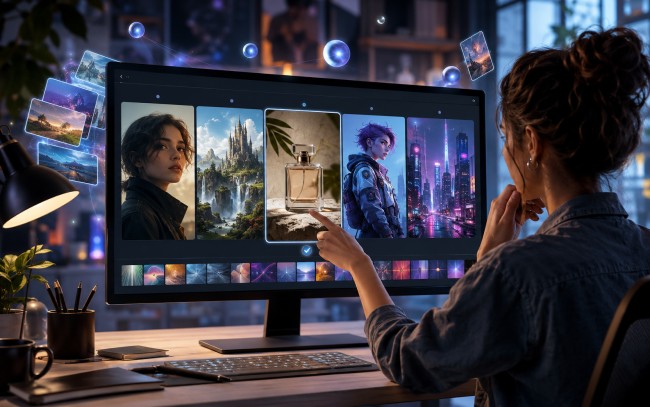
- The same prompt can be tested across multiple models, which is genuinely useful for comparing styles and outputs
This setup removes the pressure of committing to one tool upfront. The question shifts from “which model should I use?” to “which result do I actually like?” — and that’s a much easier question to answer once you can see the outputs side by side.
III. Getting Started Without Spending Anything
One of the more practical aspects of Kimg AI is how generously it handles new users. The signup process includes a credit bonus that gives newcomers a real runway to explore before ever thinking about upgrading.
- New accounts receive 400 credits upon registration — no hoops, no card required
- Checking in daily for seven consecutive days adds another 440 credits
- Combined, that’s enough to generate well over 200 images using premium models
That’s not a marketing number padded to sound impressive. It’s a meaningful amount of testing room. A new user can run the same prompt through several different models, experiment with styles, and genuinely form an opinion about which tool fits their needs — all before spending a cent.
The daily check-in system also continues well beyond the first week. Maintaining a seven-day streak each week keeps adding credits, giving active users around 110 free image generations per week on an ongoing basis. That’s a sustainable free tier built around consistent use, not a countdown clock designed to pressure an upgrade.
IV. A Closer Look at Nano Banana
Among the models hosted on Kimg AI, Nano Banana has earned a dedicated following for good reason. It handles reference images in a way that many general-purpose models simply don’t, making it a go-to for creators who need visual consistency across a series.
1. Reference Image Support
Nano Banana accepts up to 4 uploaded reference images per generation. This is immediately useful for product mockups, character consistency, or any project where the output needs to visually align with existing assets rather than generate something entirely from scratch.
2. Nano Banana Pro
The Pro variant raises the reference image capacity to 8. With more source material available in a single generation, outputs tend to hold onto reference details more precisely — useful when working with complex brand visuals or multi-element compositions.
3. Nano Banana 2
The second generation pushes reference capacity to 13 images. For projects that require pulling from a wide range of visual references simultaneously, this is a meaningful step up. It handles layered visual briefs that would be difficult to communicate through text prompts alone.
V. Image Quality and Resolution Options
Kimg AI supports output resolutions up to 4K, though access to the full resolution ceiling depends on membership level.
- Free users generate images at 1K resolution — sufficient for concept testing, composition reviews, and iterating on ideas
- Members unlock 4K output, which matters for commercial use, print-ready assets, or any context where pixel quality is non-negotiable
- The quality difference between tiers is real, but 1K is genuinely usable and not artificially limited just to force an upgrade decision
For most exploration and iteration work, 1K does the job well. The upgrade path is there when output quality becomes a practical requirement — not before.
VI. Video Generation: One More Step Forward
Beyond static images, Kimg AI has built video generation directly into the same workflow. After creating an image, users can pass it straight into the Veo 3 model to convert it into a short video clip — using the same account and the same credits earned through check-ins or signup bonuses.
- The image-to-video pipeline runs entirely within Kimg AI, with no re-uploading or third-party handoff
- Veo 3 handles the conversion, turning a finished image into motion without requiring a separate subscription
- For content creators working across formats — social posts, product demos, short-form video — this removes a genuinely tedious step from the process
Having image and video generation under one roof means less context-switching and more time actually creating. It’s the kind of small convenience that adds up quickly when working on multiple projects at once.
Conclusion
The AI image tool market isn’t going to get less crowded. If anything, the number of options will keep growing, and so will the time people waste trying to pick the “right” one before they’ve even made anything. Kimg AI offers a more sensible approach: bring the best models together, make testing essentially free, and let the results speak for themselves.
The best part? There’s no reason to keep deliberating. Sign up for Kimg AI, collect the 400-credit welcome bonus, and start running prompts through Nano Banana, Flux, Seedream, and the rest. Check in daily for a week and the credits stack even further. By the time the first week is done, the “which tool should I use” question answers itself — not through research, but through real hands-on results. That’s a better way to decide.