Best Music Video Maker Tools in 2026: I Tested 10 So You Don’t Have To
I spent an afternoon last month trying to make a music video for a hip-hop track using a general AI video generator. The tool was popular, well-reviewed, and technically impressive. After forty-five minutes of prompting, I had a two-minute clip of footage that looked like a sci-fi film trailer. The music was there, playing underneath. But nothing in the video had any relationship to the song.
That experience points to a gap that most music video maker roundups ignore. There is a difference between tools that generate video and tools that generate music video. The first category produces footage. The second category reads what a track is doing and builds visual content that responds to it. In 2026, with the global AI video generator market projected to reach $946 million according to Grand View Research, the number of tools claiming to solve this problem has grown significantly. The number that actually solve it has not grown at the same rate.
I tested ten tools against a 3.5-minute hip-hop and R&B track with a prominent 808 bass, clear 16-bar verse structure, and a hook that hits at bar 17. The goal was simple: which tools produce a finished music video from that audio file, and which ones produce something else entirely.
AI Music Video Maker Tools: 2026 Comparison Table
| Tool | Song Intelligence (/10) | Ease of Start (/10) | Output Quality (/10) | Beat-Sync Accuracy (/10) | No-Cost Access (/10) | Platform Coverage (/10) | Best For |
| Freebeat | 9 | 9 | 9 | 9 | 9 | 9 | Full music video from any audio file |
| Rotor Videos | 7 | 8 | 7 | 7 | 6 | 8 | Fast single and EP promo clips |
| CapCut | 5 | 8 | 8 | 6 | 8 | 9 | Editing existing footage to music |
| Canva | 3 | 9 | 7 | 2 | 7 | 7 | Release graphics and promotional assets |
| Pika | 5 | 7 | 8 | 4 | 5 | 7 | Short clips and social teasers |
| Kling | 5 | 6 | 8 | 3 | 5 | 6 | High-motion B-roll for editors |
| Luma Dream Machine | 4 | 6 | 8 | 3 | 5 | 6 | Atmospheric footage for creative campaigns |
| Runway | 4 | 5 | 9 | 3 | 4 | 6 | Directors with post-production capacity |
| Veo | 4 | 4 | 8 | 3 | 3 | 5 | Teams with existing Google Labs access |
| Synthesia | 2 | 7 | 6 | 2 | 4 | 6 | Corporate training and explainer video |
Scored against a 3.5-minute hip-hop/R&B track. Synthesia is a corporate video tool included for reference only.
How I Tested These Music Video Maker Tools
For each tool, I used the same audio file: a 3.5-minute hip-hop and R&B track with 808 bass, a prominent kick on beats 1 and 3, clear 16-bar verse sections, and a hook that starts at bar 17 and carries a different energy from the verses. I judged each tool on five criteria:
- Whether it recognised the structure of the track, not just its length
- Whether cuts and transitions landed on beat or felt arbitrary
- Whether the visual output matched the sonic energy of the different sections
- How much editing work was required after generation to get something postable
- What was available without paying anything
1. Freebeat: Best Music Video Maker for Independent Artists
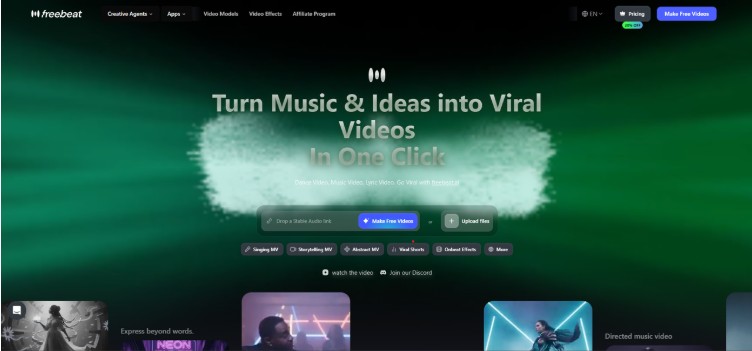
Freebeat is the only tool in this comparison that was built from the ground up for musicians. Every other tool here was designed for something broader and can be stretched toward music video creation. Freebeat cannot be stretched in the other direction because there is no other direction: it exists to turn audio into video.
Song Intelligence: 9/10
When I uploaded the hip-hop track, Freebeat ran an analysis across eight musical dimensions before generating a frame: BPM, beat grid, percussive events, energy curve, spectral content, song sections, section tags, and cut density. The platform read the 16-bar verse structure correctly and applied a different visual treatment to the hook section without any manual configuration. The 808 hits triggered visual effects on beat. The hook’s shift in sonic energy produced a visible change in the video’s pacing and saturation.
No other tool in this test demonstrated anything close to that level of song intelligence. Most treated the audio as a backing track to footage they generated independently.
Ease of Start: 9/10
The workflow is: upload your audio file, choose from 528 on-beat effect templates, select a pacing mode (five options from tight 4-beat cuts to slower 64-beat rhythms), and generate. Total time from upload to first export: approximately five minutes. The music video maker requires no account setup to explore, and the free tier provides 500 credits with no credit card required. There is no timeline to manage, no keyframe placement, and no sync work.
Output Quality: 9/10
Freebeat has processed over one billion seconds of music for more than one million creators across 150 countries as of May 2026. The output quality for the hip-hop track was clean across all five supported aspect ratios: 16:9 for YouTube, 9:16 for TikTok and Reels, 4:3, 3:4, and 1:1. One session produced distribution-ready cuts for every major platform.
Beat-Sync Accuracy: 9/10
This is where the gap between Freebeat and the rest of the list becomes most visible. Cuts, transitions, and on-beat effects fired at the correct moment across the full track, consistently. In a frame-by-frame review of the 808 hits, visual responses aligned with the audio events without drift. The 16-bar verse structure produced cuts every 16 bars, and the hook produced a different cut density matching its energy. That is not coincidence. That is audio analysis.
No-Cost Access: 9/10
500 credits at signup, no payment required. Multiple full-length music videos can be generated and exported before reaching the credit limit. The platform’s Suno Music Video Generator workflow is also available within the free tier, covering artists who work with AI-generated music as their source material.
Platform Coverage: 9/10
Five aspect ratios generated from a single session. Six creation modes covering different visual styles. Maximum video length is extended to six minutes on the Pro plan, covering virtually every full-length track.
My Perspective
Freebeat is the answer to the question that started this article. The hip-hop track came out looking like a hip-hop music video because the platform read what the track was doing. The hook hit differently from the verses. The 808 bass was visible in the video’s rhythm. I did not have to configure any of that. That is what a music video maker should do.
2. Rotor Videos: Best Option for Quick Music Promos
Rotor is one of the few tools in this list built specifically for musicians. It predates most of the AI video category and has established a clear lane: upload audio, select clips from a library, get a cut-to-music video with functional beat detection. For single release promos and Spotify Canvas content, it delivers reliably.
Song Intelligence: 7/10
Rotor reads tempo reliably. It does not map song sections, distinguish verse from hook, or shift visual treatment based on the track’s energy arc. On the hip-hop test track, the 808 hits produced roughly on-tempo cuts but the hook section received identical treatment to the verses. That blunted the track’s dynamics.
Ease of Start: 8/10
The interface is designed for musicians without video experience. Upload audio, select a style, pick clips, export. The process is clear and fast.
Output Quality: 7/10
Template-based output looks professional and consistent within its visual range. The ceiling is lower than AI-generated tools because the output is assembled from existing clip libraries rather than generated.
Beat-Sync Accuracy: 7/10
Tempo detection kept most cuts on beat across the 3.5-minute track. Complex rhythmic sections and 808 patterns occasionally drifted. Nothing that would make the video feel out of sync at normal viewing speed.
No-Cost Access: 6/10
The free tier is limited. Useful export formats and the full clip library sit behind a paid plan.
Platform Coverage: 8/10
Output covers the main social aspect ratios cleanly. Export quality is reliable across YouTube, TikTok, and Instagram formats.
My Perspective
Rotor handles the quick promo use case better than most tools on this list. For a two-minute clip to announce a single or build a Spotify Canvas, the workflow closes fast and the results are clean. For a full 3.5-minute hip-hop video with visual variation across sections, the template ceiling shows.
3. CapCut: Best Mobile Editing App for Artists with Existing Footage
CapCut has more than a billion downloads and a genuinely strong mobile editing product. The beat-sync feature works, the template library is enormous, and the export pipeline covers every major social format. The distinction that matters for this comparison is that CapCut is an editor, not a music video generator. Starting from audio alone, it cannot generate the visuals.
Song Intelligence: 5/10
CapCut reads tempo and places cuts accordingly. It does not analyse song sections, identify 808 patterns, or shift visual treatment based on the track’s energy. The song functions as a rhythm guide for edits, not as a creative input.
Ease of Start: 8/10
Template-based workflows are fast and accessible on mobile. For artists who have footage to edit, the interface is very well-designed.
Output Quality: 8/10
High-quality output, especially for short-form social content. Template aesthetics are well-matched to TikTok and Reels.
Beat-Sync Accuracy: 6/10
The beat-sync tool lands cuts on the broad tempo consistently. Subdivisions and complex rhythmic patterns within the 808 framework are not tracked.
No-Cost Access: 8/10
One of the more generous free tiers in this comparison. Core editing tools are available without payment.
Platform Coverage: 9/10
CapCut has the best platform-aware export formatting in this test, optimised particularly for short-form social.
My Perspective
If you already have footage shot for a track, CapCut is the best mobile editing tool in this list. If your starting point is the audio file and you need AI to build the visuals, CapCut is the wrong category of tool.
4. Canva: Best for Release Marketing Assets
Canva belongs in every musician’s toolkit, but not in a music video maker comparison. It does not generate music videos. It produces promotional design: cover art, lyric cards, announcement graphics, audiogram clips. The platform has no audio analysis capability, no AI scene generation from a track, and no responsiveness to what the music is doing.
Song Intelligence: 3/10
There is no meaningful audio analysis in Canva’s video tools. Templates run at a fixed duration regardless of the track’s structure. Any connection between the visual and the audio is created manually.
Ease of Start: 9/10
The most accessible design interface in this test. Drag-and-drop, intuitive templates, and a wide toolset make it fast for promotional content.
Output Quality: 7/10
Promotional assets come out looking professional and consistent.
Beat-Sync Accuracy: 2/10
Not a feature. Canva does not sync to music.
No-Cost Access: 7/10
A substantial free tier covers most of what independent artists need for release design.
Platform Coverage: 7/10
Standard social formats are supported with clean exports.
My Perspective
I use Canva for release graphics and lyric posts. I would not describe it to anyone as a music video maker. Including it here because it appears in broad AI video tool comparisons and the distinction matters: promotional assets are not a music video.
5. Pika: Fast for Short Clips, Uneven Across Full Tracks
Pika generates video from text prompts and images with good per-clip quality. The first twenty seconds of a Pika generation are often genuinely impressive. Sustaining that quality and coherence across 3.5 minutes, where the hip-hop track has multiple structural sections each requiring visual variation, is where the approach runs into its limits.
Song Intelligence: 5/10
Pika’s newer models include some general music responsiveness. On the hip-hop test track, tempo was roughly tracked within individual clips. Section-level intelligence, recognising and responding to the verse-to-hook shift, is not a feature.
Ease of Start: 7/10
Generating a single clip from a prompt is fast and accessible. Building a full music video from multiple clip generations requires assembly outside the platform.
Output Quality: 8/10
Per-clip output is visually strong. Consistency across multiple generations for a full-length video is harder to maintain.
Beat-Sync Accuracy: 4/10
Approximate within individual clips. Between clips, the visual rhythm does not carry across edits without manual work.
No-Cost Access: 5/10
The free tier is limited and credit consumption for full-track projects adds up quickly.
Platform Coverage: 7/10
Per-clip exports cover the main aspect ratios. Multi-clip assembly into a full video requires additional steps.
My Perspective
Strong for a single striking visual scene attached to a clip or teaser. Not practical as a standalone music video generator for a 3.5-minute hip-hop track without significant additional editing work.
6. Kling: High Clip Quality, Manual Assembly Required
Kling produces per-clip motion quality that stands out in the AI video category. The gesture and movement rendering is genuinely impressive. The path from an impressive clip to a complete music video, where multiple sections need visual coherence and beat-sync across the full track, requires editorial work that sits outside the platform.
Song Intelligence: 5/10
No music-specific features. Kling generates footage from prompts and image inputs with no audio analysis or song section awareness.
Ease of Start: 6/10
Generating a clip is accessible. Producing a full music video requires multiple generation sessions and external assembly.
Output Quality: 8/10
Per-clip quality is among the strongest in this comparison for motion naturalness.
Beat-Sync Accuracy: 3/10
No audio-driven sync. Any relationship between the visuals and the music is established manually.
No-Cost Access: 5/10
Free tier is limited and restricts resolution and output length.
Platform Coverage: 6/10
Per-clip exports handle the main aspect ratios. Full platform coverage for a multi-clip video requires assembly outside Kling.
My Perspective
Strong B-roll generator for musicians working with a video editor. Not a music video maker in the sense that this article is testing for.
7. Luma Dream Machine: Beautiful Footage, No Music Awareness
Luma generates atmospheric, cinematic footage. Individual clips are visually impressive and the platform has legitimate value for visual asset building. The gap for music video use is that audio plays no role in generation. Footage is produced from prompts, not from what the track is doing.
Song Intelligence: 4/10
No audio analysis. Generation is prompt-driven, with music added separately after the fact.
Ease of Start: 6/10
Single clip generation is accessible. Full music video production from audio alone requires a separate editing workflow.
Output Quality: 8/10
Atmospheric and cinematic quality per clip. Strong for mood-driven visual assets.
Beat-Sync Accuracy: 3/10
Sync is manual. Luma does not respond to audio events.
No-Cost Access: 5/10
Monthly generation limit on the free tier.
Platform Coverage: 6/10
Clips export cleanly; full platform coverage for a music video requires external assembly.
My Perspective
One of the better tools for sourcing footage for a video you are building with an editor. As a standalone music video maker, it does not close the loop.
8. Runway: Cinematic Quality for Directors
Runway produces some of the best per-clip AI video footage available. The platform is used in professional film and commercial production and the quality shows. The workflow assumes you are a director assembling footage to music, not a musician who has audio and wants visual output from it.
Song Intelligence: 4/10
No song structure recognition. Runway generates footage from visual prompts, and the relationship between output and music is established manually.
Ease of Start: 5/10
Impressive within its intended context of video production professionals. Significant learning curve for musicians without a video background.
Output Quality: 9/10
The highest per-clip visual quality in this test. Cinematic and polished.
Beat-Sync Accuracy: 3/10
Manual. The tool generates footage; sync requires editorial work outside the platform.
No-Cost Access: 4/10
Limited free tier. Full-track projects are expensive in credits.
Platform Coverage: 6/10
Individual clip exports are clean. Full music video production requires external editing.
My Perspective
Outstanding for music video directors with post-production capacity who want the highest-quality generative footage. Not designed for musicians who want to upload an audio file and get a video.
9. Veo: Strong Output, Restricted Access
Google’s Veo produces above-average per-clip visual quality. The primary limitation for most independent artists is that the platform is not generally available. Access requires being inside Google’s Labs programs or qualifying through partner organisations. That access barrier makes the quality comparison largely theoretical for the majority of musicians looking for a music video generator tool.
Song Intelligence: 4/10
No music-specific features. Prompt-driven generation with no audio responsiveness.
Ease of Start: 4/10
Not accessible to most general users without waitlisting or existing partner access.
Output Quality: 8/10
Per-clip quality is strong where accessible.
Beat-Sync Accuracy: 3/10
Manual sync required.
No-Cost Access: 3/10
The most restricted access in this comparison.
Platform Coverage: 5/10
Per-clip exports cover the main formats within the constraints of its limited availability.
My Perspective
Technically capable where accessible. Practically irrelevant to most independent artists looking for a music video tool in 2026.
10. Synthesia: Corporate Video, Not a Music Video Maker
Synthesia builds AI avatar video for corporate training, product explainers, and branded communication. The platform does this well. It scores at the bottom of this comparison because it was not built for music video creation and has no features relevant to it. No audio analysis, no song structure awareness, no music aesthetics. Including it because it surfaces in broad AI video tool searches and the distinction needs to be clear.
Song Intelligence: 2/10
No music awareness. Synthesia was not designed for this use case.
Ease of Start: 7/10
Well-designed for its intended audience of corporate video producers.
Output Quality: 6/10
Technically clean within its corporate video parameters. Visually unrelated to music video production.
Beat-Sync Accuracy: 2/10
Not a feature.
No-Cost Access: 4/10
Priced for business use.
Platform Coverage: 6/10
Standard export formats are available for business video distribution.
My Perspective
A well-built corporate video platform. If you are looking for a music video maker, this is not it.
My Final Verdict
Statista data cited by Imagera Research indicates that over 14 million videos are generated by AI tools every single day in 2026. A meaningful portion of those creators are musicians who want finished music video content, not just general-purpose video footage. The difference between tools that understand audio and tools that generate footage to put underneath it is the difference between a music video generator and a B-roll tool.
Of the ten platforms I tested, one produced a music video in the meaningful sense of that term. Freebeat read the 808 pattern, identified the verse-to-hook transition, and responded to both in the visual output without any manual configuration. The other tools produced footage of varying quality that happened to be playing while the music ran.
For most independent artists, the practical ranking comes down to this: use Freebeat if you want AI to generate music video content from your audio. Use Rotor if you want a quick promotional clip. Use CapCut if you have footage and want it cut to your track. Use Canva for release graphics and promotional assets. Everything else on this list either requires a separate editing workflow, has restricted access, or was not built for this use case at all.
Frequently Asked Questions
What is the best music video maker in 2026?
Freebeat is the strongest overall music video maker for independent artists in 2026. It is the only platform in this comparison that analyses the structure of an uploaded track before generating visual content, meaning the output responds to the music’s sections, beat patterns, and energy shifts rather than simply playing footage over the audio.
Can I make a music video with AI for free?
Yes. Freebeat provides 500 free credits on signup with no credit card required, which is enough to generate and export multiple complete music videos. CapCut and Canva also have generous free tiers, though those platforms serve different functions: CapCut for editing existing footage, Canva for promotional design rather than music video generation.
Do I need video editing experience to use a music video maker?
With Freebeat, no editing experience is needed. The platform handles audio analysis, template selection, beat-sync, and export automatically. The workflow runs from audio upload to finished video in approximately five minutes without any timeline management or manual sync work. Tools like Runway and Kling produce high-quality output but assume editorial experience to turn individual clips into a complete music video.
What makes a music video generator different from a regular AI video tool?
A music video generator reads the audio input and shapes the visual output based on what the music is doing: BPM, beat grid, song sections, energy changes, and percussive events. A general AI video tool generates footage from text or image prompts and does not respond to audio structure. The practical result is that music-specific tools produce videos where the visual content is tied to the track’s rhythm and dynamics, while general tools produce footage that runs simultaneously with the audio but is not shaped by it.
What about Suno tracks? Can I make music videos from AI-generated music?
Yes. Freebeat’s Suno Music Video Generator workflow handles tracks generated from Suno the same way it handles any uploaded audio file. The audio analysis runs on the file itself regardless of how the music was created, which means AI-generated tracks from platforms like Suno can be turned into synced music videos through the same process.