Why a Free Text Compare Tool Is Useful for Students and Editors
Enhanced Accuracy in Revision Tracking
When you’re working on a document, especially one with many edits, it’s easy to miss things. The human eye can only do so much. A free text compare tool acts like a second pair of eyes, but one that never gets tired and never makes mistakes. It points out exactly what’s changed, from a single word to a whole paragraph. This objective analysis is key to catching errors that could otherwise slip through. It’s not just about finding typos; it’s about making sure the meaning and facts are still correct after revisions.
Significant Time Savings
Think about how long it takes to read through two versions of a long document, trying to spot every difference. It’s a slow, tedious job. A text compare tool does this in seconds. You paste your texts, and it shows you the differences right away. This means you spend less time on the mechanical task of comparing and more time on the actual writing and editing. For anyone on a deadline, this speed is a game-changer.
Improved Collaboration Efficiency
Working with others on a document can get messy. Different people make changes, and it’s hard to keep track of who did what. A free text compare tool makes this much simpler. It clearly shows all the edits made by different people. This helps avoid confusion, prevents accidental overwrites, and makes sure everyone’s contributions are accounted for. It’s like having a clear map of the document’s journey through multiple hands.
Maintaining Consistency and Quality
Consistency Maintenance
Keeping things the same across a document is a big deal. Whether it’s using the same terms for specific concepts or sticking to a particular style, consistency makes writing easier to read. A text compare tool helps spot when things start to drift. It flags if a term you used early on is suddenly replaced with something else, or if formatting suddenly changes without reason. This kind of consistency maintenance is key for professional work.
It’s about making sure the reader doesn’t get tripped up by unexpected shifts.
- Terminology: Are you using the same word for the same thing every time?
- Style: Does the punctuation, capitalization, and sentence structure follow the rules you set out?
- Formatting: Is the spacing, font, and layout uniform throughout?
Error Prevention and Quality Assurance
Nobody wants to send out work with mistakes. Text comparison tools act like a second pair of eyes, catching errors that might slip past a human reviewer. They can show if a crucial piece of information was accidentally deleted or if a last-minute edit introduced a new problem. This step is vital for quality assurance.
Using a text compare tool as a final check before submitting or publishing can prevent embarrassing errors and ensure the document is polished.
- Catch accidental deletions of important content.
- Verify that all requested changes were properly made.
- Confirm that formatting tweaks didn’t create new issues.
Specialized Applications for Different Writing Types
Different kinds of writing have different needs, and text comparison tools can adapt. For technical or academic papers, it’s about making sure data, citations, and complex details stay accurate and consistent through revisions. In business or legal documents, precision in language is critical, where even small wording changes can have big consequences. A text compare tool helps maintain that exactness.
- Academic: Verifying data, citations, and technical specs. Ensuring complex information is presented uniformly.
- Business/Legal: Maintaining precision in contracts, policies, and communications. Small wording changes matter.
Leveraging Online Tools for Effortless Comparison
Online Tools: No Installation Required
Forget about downloading and installing software. Online text comparison tools put powerful comparison features right in your web browser. This means you can start comparing documents almost instantly, no matter what device you’re using. It’s a big help when you’re on the go or working on a computer where you can’t install new programs. These tools are designed for speed and convenience, making the process of checking for differences straightforward.
Quick and Easy Text Comparisons
When you need to see what’s changed between two pieces of text, speed matters. Online comparison tools excel at this. You simply paste your texts into designated boxes, and the tool highlights all the differences. It’s a fast way to spot additions, deletions, or modifications. This makes reviewing drafts or checking edits much more efficient. The text comparison process becomes less of a chore and more of a quick check.
User-Friendly Interface
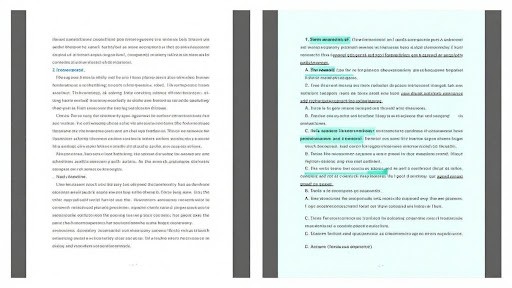
Many online text comparison tools feature a clean, intuitive design. This makes them easy for anyone to use, even if they aren’t tech-savvy. You’ll typically see the two texts displayed side-by-side, with changes clearly marked. This visual approach helps users quickly understand what has been altered. The focus is on making the comparison process as simple and direct as possible, so you can get back to your writing.
The accessibility of online tools means that anyone can perform a text comparison without needing specialized knowledge or expensive software. This democratization of a powerful editing feature is a significant benefit for students and editors alike.
Here’s a quick look at what makes these tools so helpful:
- Instant Results: Get comparisons in seconds.
- Accessibility: Use them on any device with internet access.
- Simplicity: Easy-to-understand interfaces require no training.
- Cost-Effective: Most offer free basic comparison features.
The Role of Text Comparison in Academic and Professional Settings
Technical and Academic Writing
In academic and technical writing, precision is everything. A free text compare tool helps writers and students verify that data, citations, and technical specifications remain accurate across multiple revisions. It’s easy for a number or a reference to get mixed up during edits, and a text comparison tool catches these slip-ups. This ensures complex information is presented consistently, which is vital for reports, research papers, and technical manuals. Using a text compare tool here means fewer errors and more credible work.
Business and Legal Writing
For business and legal professionals, the stakes are incredibly high. Even small changes in wording can have major consequences in contracts, policy documents, and official communications. A text comparison tool is indispensable for maintaining the exact language required. It helps track every alteration, making sure that no unintended changes creep into sensitive documents. This rigorous approach to text comparison safeguards against costly misunderstandings and legal issues.
Plagiarism Detection and Originality Verification
Beyond simple editing, text comparison plays a key role in academic integrity and originality. Students and educators can use these tools to check for unintentional plagiarism by comparing student submissions against source materials or previous work. It provides an objective way to identify similarities that might otherwise go unnoticed. This application of text comparison is a powerful aid in upholding academic honesty and ensuring that submitted work is genuinely original.
Integrating Text Comparison Into Your Workflow
Making text comparison a regular part of how you work can really make a difference. It’s not just for fixing mistakes; it’s about making your whole writing process smoother and more reliable. Think of it as a built-in quality check that catches things before they become bigger problems.
Establish Regular Comparison Checkpoints
It’s smart to build text comparison into your routine. Don’t just do it when you think something might be wrong. Make it a habit. This means comparing drafts after you’ve done a good chunk of editing, or right before you send something off to a client or for publication. It’s a simple step that adds a layer of confidence to your work. A good text comparison tool can highlight changes you might have missed, even if you’ve read the document a dozen times.
- Compare drafts at the end of each major editing session.
- Use comparison before sending documents to clients or publishers.
- Implement comparison as part of your quality assurance checklist.
Regular checks prevent small errors from snowballing into significant issues later on.
Choose the Right Tool for Your Needs
Not all text comparison tools are created equal, and picking the right one matters. You want something that’s easy to use so it doesn’t slow you down. Accuracy is key, of course – you need it to reliably show you what’s changed. Also, think about what kind of files you work with. Does the tool handle them? Some tools are better for simple text, while others can handle more complex document formats. Choosing a tool that fits your specific writing tasks will make the integration much easier.
Historical Tracking and Version Recovery
One of the often-overlooked benefits of using text comparison tools is their ability to help with version control. When you regularly compare and save versions, you create a clear history of your document’s evolution. This is incredibly useful if you need to go back to an earlier draft or if you accidentally delete something important. The comparison history acts as a safety net, allowing for easy recovery of previous content. This aspect of text comparison is a lifesaver when dealing with complex projects or collaborative efforts where multiple people are making changes.
Benefits Beyond Basic Editing
Objective Lens for Revision
A free text compare tool acts like a second pair of eyes, offering an objective perspective on your work. It highlights changes without personal bias, helping writers and editors see their document’s evolution clearly. This objective view is key to spotting areas that might have been overlooked during a subjective read-through. The tool’s ability to show differences side-by-side makes it easier to evaluate the impact of each edit.
This objective lens is particularly useful when a writer has spent a long time with a document. Familiarity can breed blindness to errors or awkward phrasing. A text compare tool cuts through that familiarity, presenting the text as it is, with all modifications laid bare. It’s a simple yet powerful way to ensure that revisions are truly improvements.
Identifying Subtle Differences
Beyond obvious typos or grammatical errors, a text compare tool excels at revealing subtle shifts in meaning or tone. It can pinpoint where a word choice might have altered the original intent or where a sentence structure has become less clear. These nuanced changes are often the hardest to catch manually, but they can significantly affect the reader’s understanding.
For instance, changing a single word can sometimes change the entire feel of a paragraph. A text compare tool will flag this word change, prompting a closer look at its effect. This capability is invaluable for refining prose and ensuring that the intended message is conveyed precisely. It helps writers polish their work to a fine degree.
Learning From Editing Patterns
Regularly using a text compare tool provides a unique opportunity for self-improvement. By reviewing the differences between versions, writers can start to recognize their own recurring editing patterns. Are they consistently overusing certain words? Do they tend to delete phrases that are actually important? Identifying these habits is the first step toward breaking them.
This self-awareness is a powerful learning mechanism. It allows writers to proactively address their weaknesses and build on their strengths. Over time, this leads to more efficient and effective editing, making the entire writing process smoother. The text compare tool becomes a personal tutor, guiding development through observed practice.
Wrapping Up
So, there you have it. Text comparison tools, especially the free ones, are pretty handy. They help students catch mistakes and make sure their work is original, and for editors, they just make the whole process of checking documents faster and more accurate. It’s not about fancy software; it’s about having a reliable way to see what’s changed. Give one a try next time you’re working on something important – you might be surprised how much time and hassle it saves.