How to Create Invoices in Seconds on Mobile for On-the-Go Client Work
The Advantages of On-the-Go Invoicing
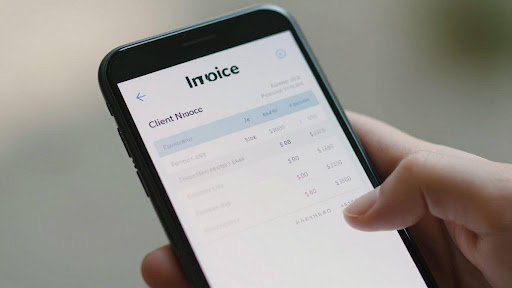
For professionals working outside a traditional office, creating invoices on the fly is a game-changer. Gone are the days of waiting until you’re back at your desk to send a bill. Mobile invoicing means you can generate and send professional-looking invoices right after completing a client job, whether you’re at their site or a coffee shop. This immediate action helps maintain a steady cash flow and keeps your business finances organized.
This approach offers significant benefits. It speeds up the payment process, which is good for your business’s financial health. Plus, sending an invoice right away shows clients you’re efficient and professional. It’s a simple change that makes a big difference in how your business operates and how quickly you get paid.
The ability to invoice on the go transforms how small businesses manage their finances. It removes a common bottleneck, allowing for quicker payments and a more professional client interaction. This shift is about working smarter, not just harder, by using tools that fit a mobile lifestyle.
Why Speed Matters for Cash Flow
When you’re working with clients, getting paid quickly is important. Sending invoices right after finishing a job means clients get the bill sooner. This simple step can speed up how fast you receive payments, which is good for your business’s cash flow. Waiting to send invoices can delay payments, sometimes by weeks.
Think about it: if a client receives an invoice the same day they get the service, they’re more likely to pay it promptly. This quick turnaround helps keep money coming into your business consistently. It reduces the chances of invoices getting lost or forgotten in a pile of paperwork. Mobile invoicing tools make this speed possible.
Faster invoicing directly impacts your business’s financial stability. It’s not just about convenience; it’s about ensuring your business has the funds it needs to operate smoothly.
Enhancing Professionalism with Timely Invoices
Sending invoices promptly after completing work makes a business look more organized and professional. It shows clients that you value their time and are serious about your business. A well-formatted, timely invoice builds trust and can lead to repeat business. It’s a small detail that can have a big impact on client perception.
When you use mobile tools to create and send invoices, you can do it from anywhere. This means you don’t have to wait to get back to the office. You can send a professional invoice right from your phone or tablet, right after the job is done. This efficiency is noticed by clients and helps build a strong reputation.
Mobile invoicing is more than just a convenience; it’s a way to present your business in the best possible light. It demonstrates efficiency and attention to detail, qualities that clients look for. This practice helps you stand out from competitors who might be slower to bill.
Effortless Invoice Creation on Your Mobile Device
Leveraging Voice-to-Invoice Technology
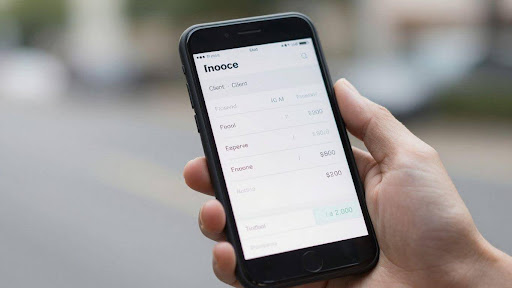
Forget typing out every detail. Some mobile invoicing apps now let you use your voice to create invoices. Just speak your client’s name, the service provided, and the amount. The app transcribes your words and builds the invoice for you. This makes invoice creation incredibly fast, especially when you’re on a job site or have your hands full. It’s a game-changer for quick billing.
Automating Client and Service Details
Once you’ve used an app a few times, it starts to remember things. You can save client contact information and details about the services you offer. The next time you need to bill that client or for that service, the app can automatically fill in the blanks. This saves a lot of repetitive typing and reduces the chance of errors. Automating these details speeds up the entire invoicing process.
The Simplicity of Mobile App Workflows
Mobile apps are designed to be easy to use. They often have clear steps to follow. You open the app, select ‘new invoice,’ add client details (which might be auto-filled), list your services, and then send it. Many apps let you send the invoice directly via email or text message right from your phone. This streamlined workflow means you can get an invoice out the door in just a few taps, making your business run smoother.
Key Features for Efficient Mobile Invoicing
Quick Invoice Generation and Customization
Creating an invoice on the go should be fast. Mobile apps let users build professional-looking invoices in just a few taps. This means less time spent on paperwork and more time for client work. Many apps offer templates that can be customized with a business logo and specific details, making each invoice look polished.
This quick invoice generation is a big help for anyone who needs to bill clients right after a job. It’s not just about speed, though. The ability to customize means the invoice reflects the business’s brand, which looks good to clients. This feature helps make sure that every invoice sent out is accurate and professional.
Seamless Invoice Delivery Options
Once an invoice is ready, getting it to the client quickly is important. Mobile invoicing apps usually offer simple ways to send invoices. This can be done through email or even text messages, all from the phone. This direct delivery means clients get the invoice right away, which can speed up payment.
Having different delivery options makes it easy to reach clients however they prefer to be contacted. It removes the need to switch between apps or go back to a computer. The goal is to make the entire process, from creation to delivery, as smooth as possible for the user.
Integrated Payment Processing and Tracking
Many mobile invoicing solutions include ways to accept payments directly. This means clients can pay their invoices right after receiving them, often through a link in the invoice itself. This feature helps get money into the business’s account faster.
Beyond just accepting payments, these apps also track the status of each invoice. Users can see which invoices have been paid, which are overdue, and which are still outstanding. This tracking is a big part of efficient mobile invoicing, helping businesses stay on top of their finances without much effort.
Choosing the Right Mobile Invoicing Solution
Evaluating User-Friendly Invoicing Apps
When looking for a mobile invoicing app, the first thing to consider is how easy it is to use. If the app is complicated, it defeats the purpose of quick, on-the-go billing. A good app should let you create and send an invoice in just a few taps, right after finishing a job. If you’re still figuring out how to create invoices, the iInvoice Learn hub focuses on simple, step-by-step guidance for building professional invoices that help you get paid faster. Think about apps that have clear menus and simple workflows. The best mobile invoicing solutions feel intuitive, almost like using a familiar social media app.
If you want to learn more about iinvoice, their 2023 mission to make invoicing easier for freelancers and small businesses is outlined on their website.
Look for apps that offer pre-filled client information and service details. This saves a lot of typing when you’re out in the field. Some apps even let you save common services and their rates, so you just need to select them. This kind of smart design makes a big difference in how fast you can get an invoice out the door.
Consider the overall design and layout. Does it look clean and professional? Can you easily find the features you need, like adding taxes or discounts? A user-friendly app means less time wrestling with technology and more time focusing on your clients and your work. It’s about making the invoicing process smooth, not a chore.
Essential Features for Freelancers and Small Businesses
For freelancers and small businesses, certain features in a mobile invoicing app are non-negotiable. Quick invoice generation is key, but so is the ability to customize those invoices. Adding your logo, choosing specific payment terms, and including line-item details helps maintain a professional image. It’s about presenting your business in the best light, no matter where you are.
Payment processing is another big one. The ability to accept payments directly through the app, whether via credit card or bank transfer, speeds up cash flow significantly. Integrated payment tracking means you can see at a glance which invoices are paid, pending, or overdue. This organization is vital for managing finances effectively.
Beyond basic invoicing, look for apps that offer features like expense tracking or mileage logging. These tools can help you keep all your business-related information in one place, simplifying tax preparation and giving you a clearer picture of your profitability. A good mobile invoicing app acts as a central hub for your business administration.
Benefits of Cloud Syncing and Cross-Device Access
Cloud syncing is a game-changer for any business owner who uses multiple devices. It means that any invoice you create or update on your phone is instantly available on your tablet or computer, and vice-versa. This keeps your data consistent and accessible, no matter which device you have handy.
This cross-device access is incredibly useful. You might start an invoice on your phone at a client’s site and then finish it up on your laptop back at the office. Without cloud syncing, you’d have to manually transfer that information, which is time-consuming and prone to errors. A good mobile invoicing solution syncs everything automatically.
The ability to access your invoicing data from anywhere, on any device, removes a major bottleneck in the billing process. It ensures you’re always up-to-date and can respond quickly to client needs or payment inquiries. This connectivity is what makes truly mobile business operations possible.
Maximizing Business Efficiency with Mobile Tools
Reducing Manual Data Entry Errors
Mobile invoicing tools significantly cut down on mistakes that come with manual data entry. When information is entered once, whether it’s client details or service descriptions, it reduces the chance of typos or forgotten figures. This accuracy is key for correct billing and avoids client disputes. Using a mobile app means less time spent correcting errors later.
Improving Organization for Tax Preparation
Keeping financial records tidy is a constant challenge for many businesses. Mobile invoicing apps help by centralizing all invoice and expense data in one accessible place. This makes gathering information for tax season much simpler. Instead of digging through piles of paper, all the necessary documents are digitally stored and easily searchable, making tax preparation less of a headache.
Transforming Invoicing from a Chore to a Convenience
What used to be a time-consuming task can now be done in moments. The ability to create and send an invoice right after a job is finished, directly from a phone or tablet, changes the entire workflow. This convenience means faster payments and less administrative burden. It turns a dreaded chore into a simple, integrated part of client work, allowing business owners to focus more on their actual services.
- Streamlined Workflows: Integrate invoicing into your daily tasks without disruption.
- Faster Payments: Send invoices immediately, improving cash flow.
- Digital Record Keeping: Maintain organized financial data effortlessly.
Mobile tools simplify complex financial tasks, making business operations smoother and more efficient for everyone involved.
Wrapping Up Your Mobile Invoicing
Creating invoices on the go used to be a hassle, but with today’s mobile apps, it’s become surprisingly simple. Tools like Invoyce and Billdu let users generate and send professional-looking invoices in just a few taps, or even with voice commands. This means less time spent on paperwork and more time focusing on client work. Getting paid faster and staying organized are just some of the benefits. So, if you’re often working away from your desk, consider trying out one of these mobile solutions. It might just make your business run a whole lot smoother.